Discovering the Mindbeat Platform
Your coaching platform
The Mindbeat platform is where everything comes together. Your sessions, goals, learning content, and progress all located here in one place. It is built to be straightforward so you can spend your time on the work that matters rather than figuring out how to navigate it.
The best way to think about it is this: your Dashboard is your starting point, the menu on the left takes you to each area of the platform, and your Settings keep your personal details up to date. Everything else branches from those three things.
Your Dashboard
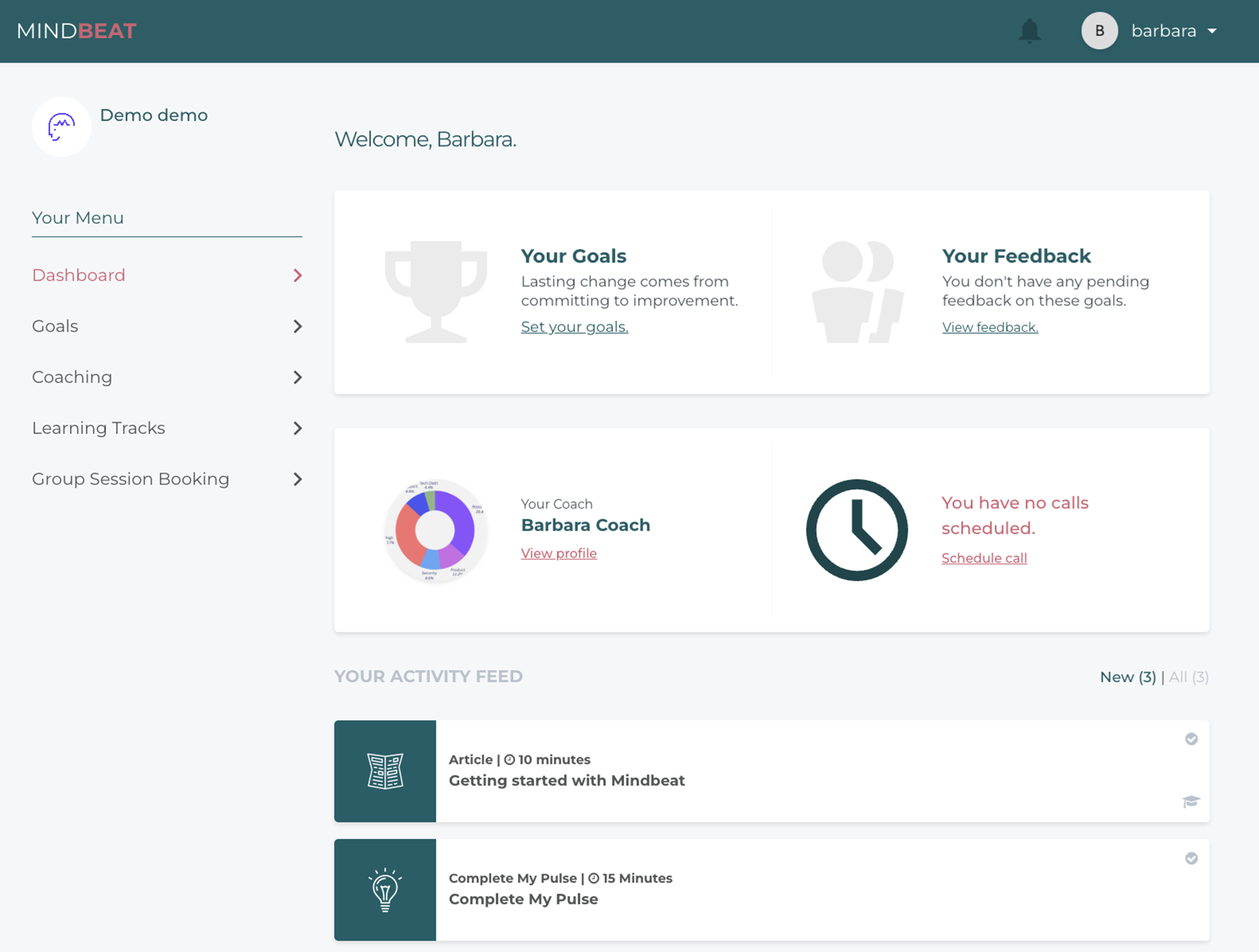
Your Dashboard is the first thing you see when you log in. It gives you a live view of where you are in your programme and what needs your attention next. As you move through your coaching journey, it updates to reflect your progress, so it always shows you what is current rather than a fixed starting screen.
From your Dashboard you can see your coach's profile, your upcoming sessions, any actions waiting for you such as completing MyPulse or setting your goals, and your Getting Started Learning Tracks. If something needs doing, it will show up here.
Navigating the Menu
The left-hand menu is how you move around the platform. Each section has a clear purpose.
Dashboard brings you back to your home view at any time.
- Coaching is where you schedule, join, and review all your sessions, whether one-to-one, three-way, or group.
- Goals is where you complete your MyPulse assessment, set and manage your development goals, and build your Development Plan.
- Learning Tracks is where your learning content stored. If your programme includes Group Coaching, you will also see a Group Coaching tab for scheduling those sessions.
Profile and settings
Your Settings are in the top right corner of the platform.
This is where you keep your personal details current.
You can update your contact information, profile details, time zone, line manager details, and password from here.
Keeping your time zone accurate is particularly worth checking early on, as it affects how session times are displayed when you are booking. If the times shown during booking do not look right, this is the first place to check.
If Something is not Working
Most technical issues on the platform can be resolved quickly with a few basic steps.
Start by visiting mindbeat.app and logging in fresh.
If you are having trouble accessing a feature or logging in, try opening the platform in an incognito or private browser window.
This clears any cached data that might be causing the issue.
If your video session is not connecting, use the in-platform chat to let your coach know.
They can share a Zoom link so your session can continue without interruption while the issue is sorted.
If none of these steps resolve the problem, contact the Mindbeat team at support@mindbeat.app and we will help you get it sorted.