HR Dashboard Guide
Getting access
Your access to the HR Dashboard is set up by the Client Success Team. You will receive an activation link from them directly. When you click it, use incognito mode in your browser. This prevents any cached login sessions from causing issues during setup. Once activated, you will be taken to the platform homepage where you will answer a few short registration questions before landing on the dashboard.

Generating a report
The dashboard is filter-driven. Before any data populates, you need to select your filters and click Generate Report. You can filter by Journey, Country, Business Unit, and Position Grade, and you can combine any of these to get more targeted results. Every section of the dashboard updates based on the filters you have applied.

What the dashboard shows you:
Member Adoption
This section shows how many members have registered on the programme. Click View more to see a detailed breakdown of each member, including when they joined, whether they have submitted their goals, and their coaching progress. What appears in this view depends on what is enabled for your programme.

You can also download two reports from here. The Summary Report gives a full per-member view covering sessions held, sessions lost, goal submissions, MyPulse completion, three-way sessions, group sessions, and programme completion status. The Coaching Session Report gives detailed information on individual sessions.

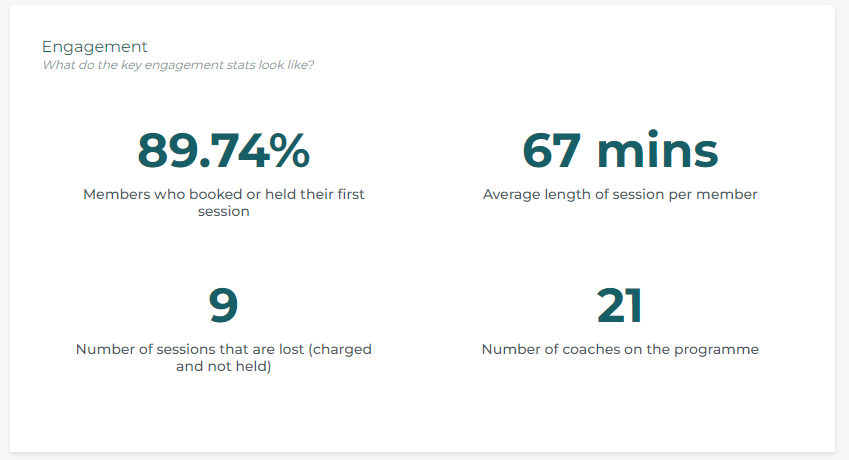
Engagement
Shows the progress of individual coaching sessions across your cohort at a glance.
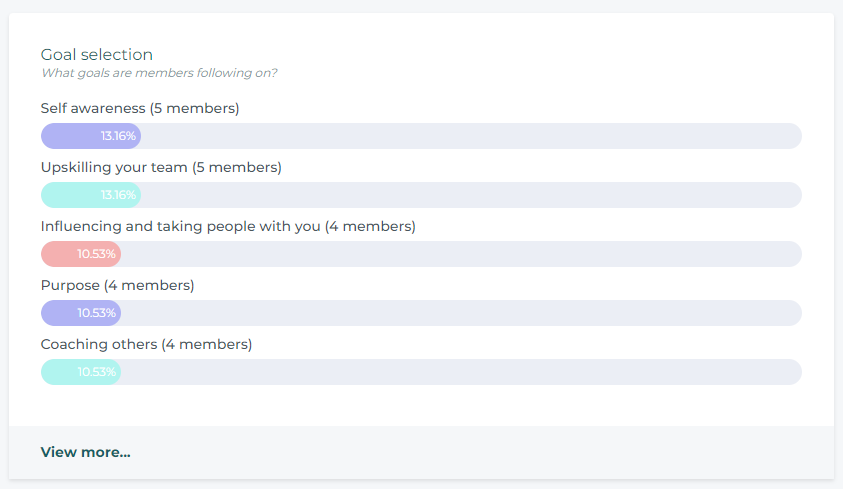
Goal Selection
Shows which goals members are choosing across the programme. Useful for spotting patterns in what your people are working on.
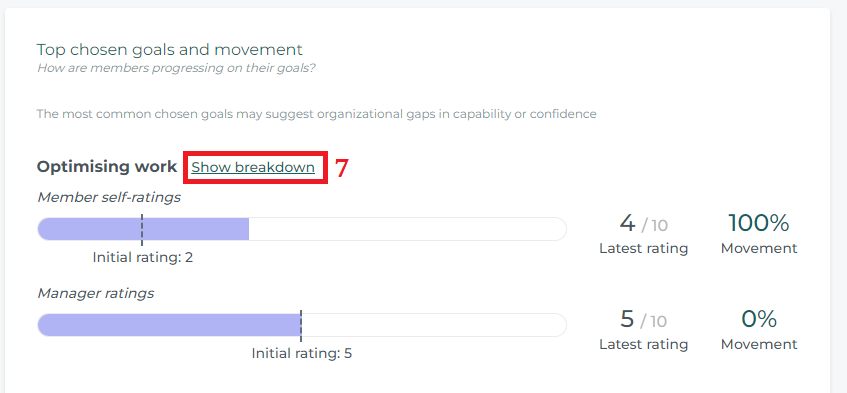
Top Goals and Movement
Shows how members are progressing against their selected goals. Click Show breakdown next to any goal to see how members and their line managers are rating progress. Movement data only appears once a member has submitted their initial self-rating and at least one further rating during the journey.
Feedback from Members
Available when individual coaching is enabled. Shows how members are rating their coaching experience after sessions.

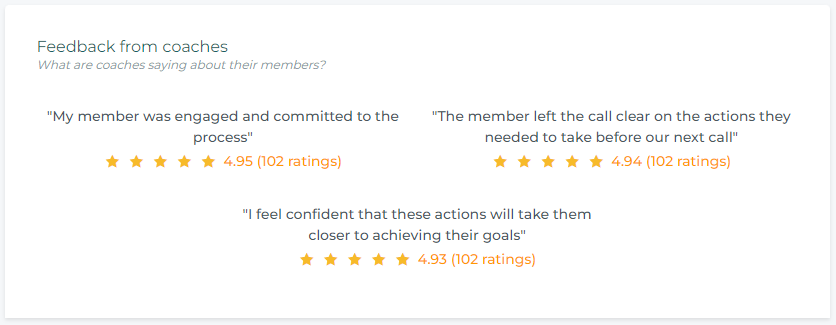
Feedback from Coaches
Available when individual coaching is enabled. Shows how coaches are rating their members across the programme.
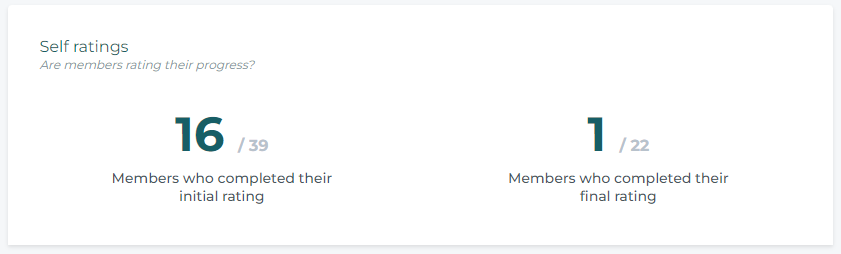
Self-Ratings
Shows whether members are rating their progress. The initial rating is submitted when a member commits to their goals. The final rating is submitted after the second-to-last coaching session.
Manager Ratings
Only appears when line manager feedback is enabled for the journey. Shows whether line managers are rating their members. The initial rating is triggered after a member commits to their goals and they are locked. The final rating is triggered after the second-to-last coaching session.

One important thing to note: for data accuracy, only ratings where the same line manager provides both the initial and final rating are included. Ratings appear on the dashboard after the final rating is triggered and only if that condition is met. This means some numbers may look lower than expected, but it reflects a more reliable picture of actual manager engagement.
Learning Track Engagement
Shows how members are interacting with their learning content, including which tracks are being opened and engaged with.

Exercises
Shows whether members are submitting exercise responses. Data is shown in aggregate. Click on an exercise title to see the detail for that specific exercise.
